
Incident reporting software that starts with one tap on site
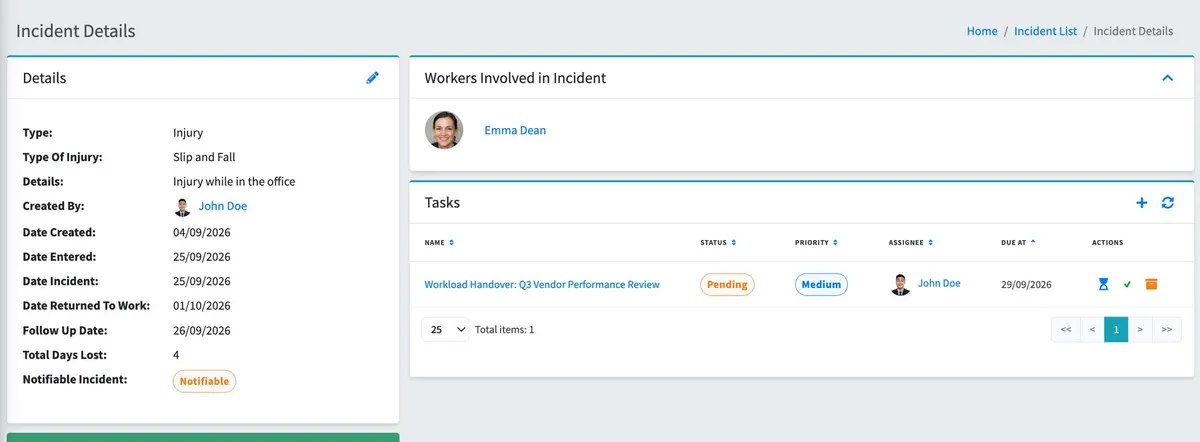
A Report Incident button sits on every worker’s dashboard and opens your own incident form, from the phone in their hand. The person you elect is emailed the moment it is submitted, and notifiable incidents and days lost roll into your metrics without a spreadsheet.
Australian owned. Used every day on active sites across Australia.
What is incident reporting software?
Incident reporting software replaces the incident book in the site shed and the form someone fills in three days later from memory. Workers report from any device with a browser at the time it happens, and the report is signed, time-stamped and in the incident register from the moment it is submitted.
The difference is what happens next. The person you elected is emailed straight away, the incident carries its own details, the workers involved and the tasks raised to close it out, and notifiable incidents and days lost show in your metrics for any period without a spreadsheet.
Further reading
- Incident notification, Safe Work Australia
- Notify SafeWork SA, SafeWork SA
Reported at the time, not reconstructed on Friday.
One button on the dashboard opens your incident form. The worker fills it in on the spot, adds photos, signs, and the elected person has it in their inbox before anyone has driven back to the office.
- You elect one of your own forms as the incident form, and the Report Incident button appears on every dashboard.
- Photos and annotated images from the scene go into the report itself.
- Every incident is emailed to the person you elect, the moment it is submitted.
The whole incident, on one record.
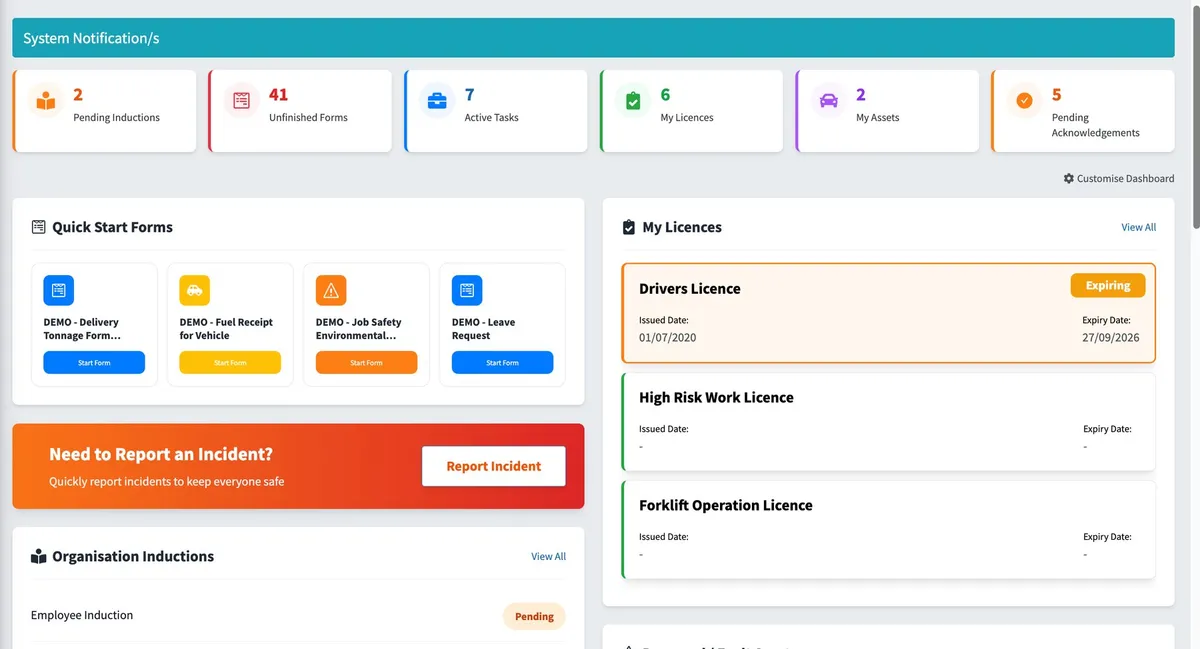
An incident in AREESA is not a form in a folder. It carries the injury, the dates, the days lost, the people involved and the tasks raised to close it out, and it stays in the register.
- Type, type of injury, the date it happened, date returned to work, follow-up date and total days lost on the incident.
- The workers involved recorded against it, and tasks raised on the incident with an assignee, a priority and a due date.
- Marked notifiable or not, so the register and your metrics carry the count.
Notifiable incidents and days lost, without the spreadsheet.
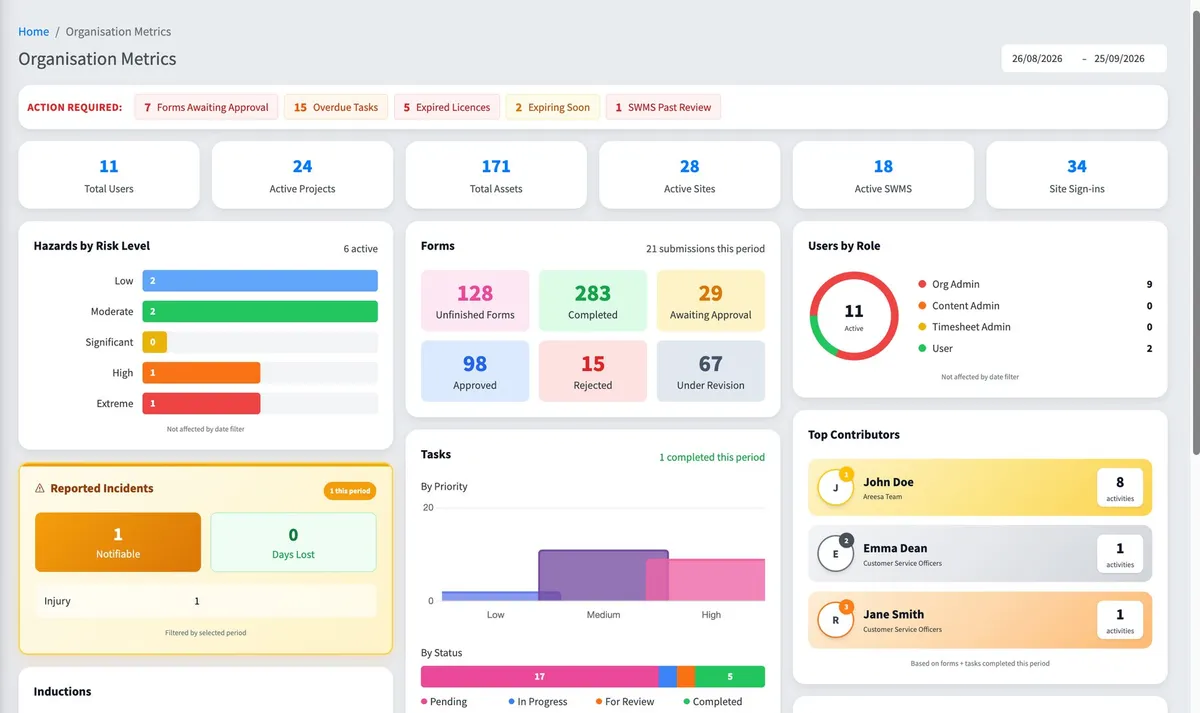
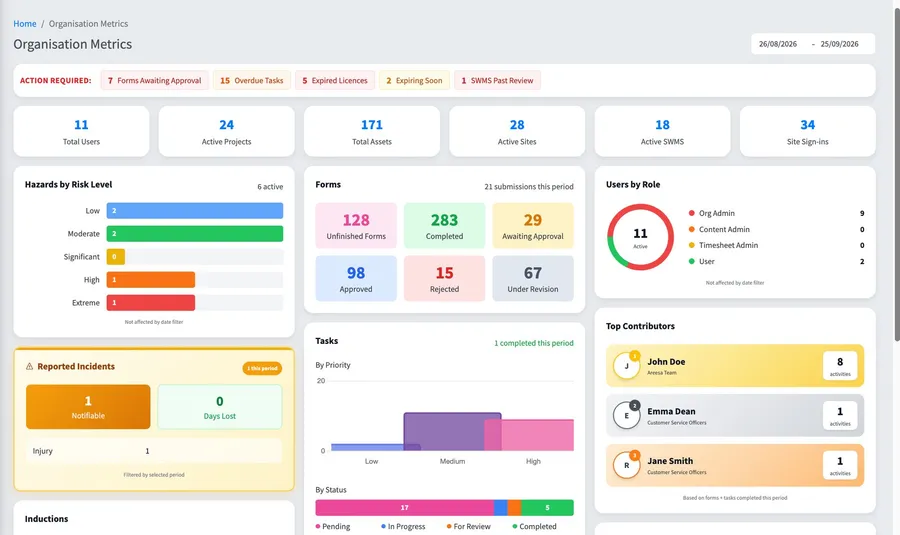
Your metrics page tracks incidents, notifiable incidents and days lost alongside hazards by risk level, forms and tasks, so the picture across the business is a glance, not a month-end exercise.
- Reported incidents, notifiable incidents and days lost for any date range.
- Hazards by risk level, from low to extreme, on the same screen as forms and tasks.
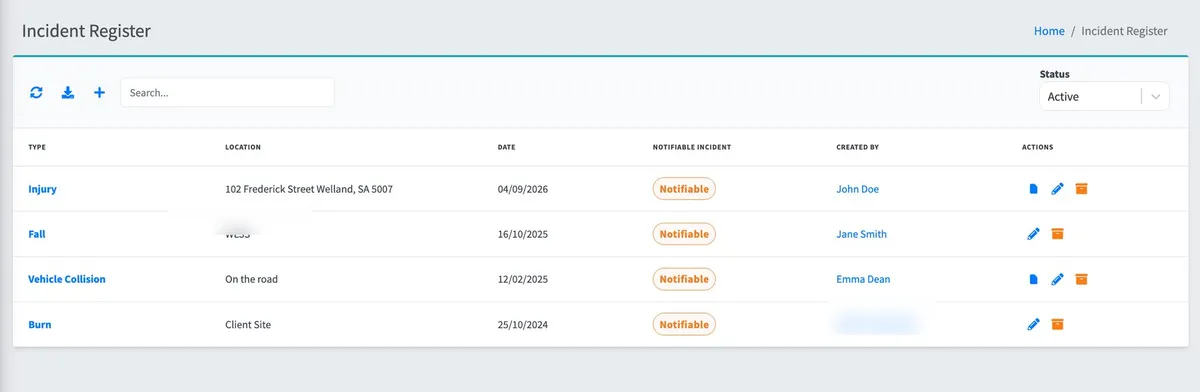
- An incident register with search and export, and a branded PDF of any incident on demand.
Built into the same system as everything else.
Your own incident form
Build the incident form with the fields your business uses, elect it, and it becomes the button on every dashboard.
The elected person is emailed
Every incident goes to the person you nominate the moment it is submitted, no rule to remember.
Follow-up questions and tasks
A no answer opens follow-up questions on the spot. Tasks raised on the incident carry an assignee, a priority and a due date.
Incident register
Every incident listed with its type, location, date and notifiable flag, searchable and exportable.
Branded PDF on demand
Any incident prints as a branded PDF with your headers and footers, ready to send.
Any device with a browser
Phone, tablet or computer, Apple or Android, with a personal email address if that is what the worker has.
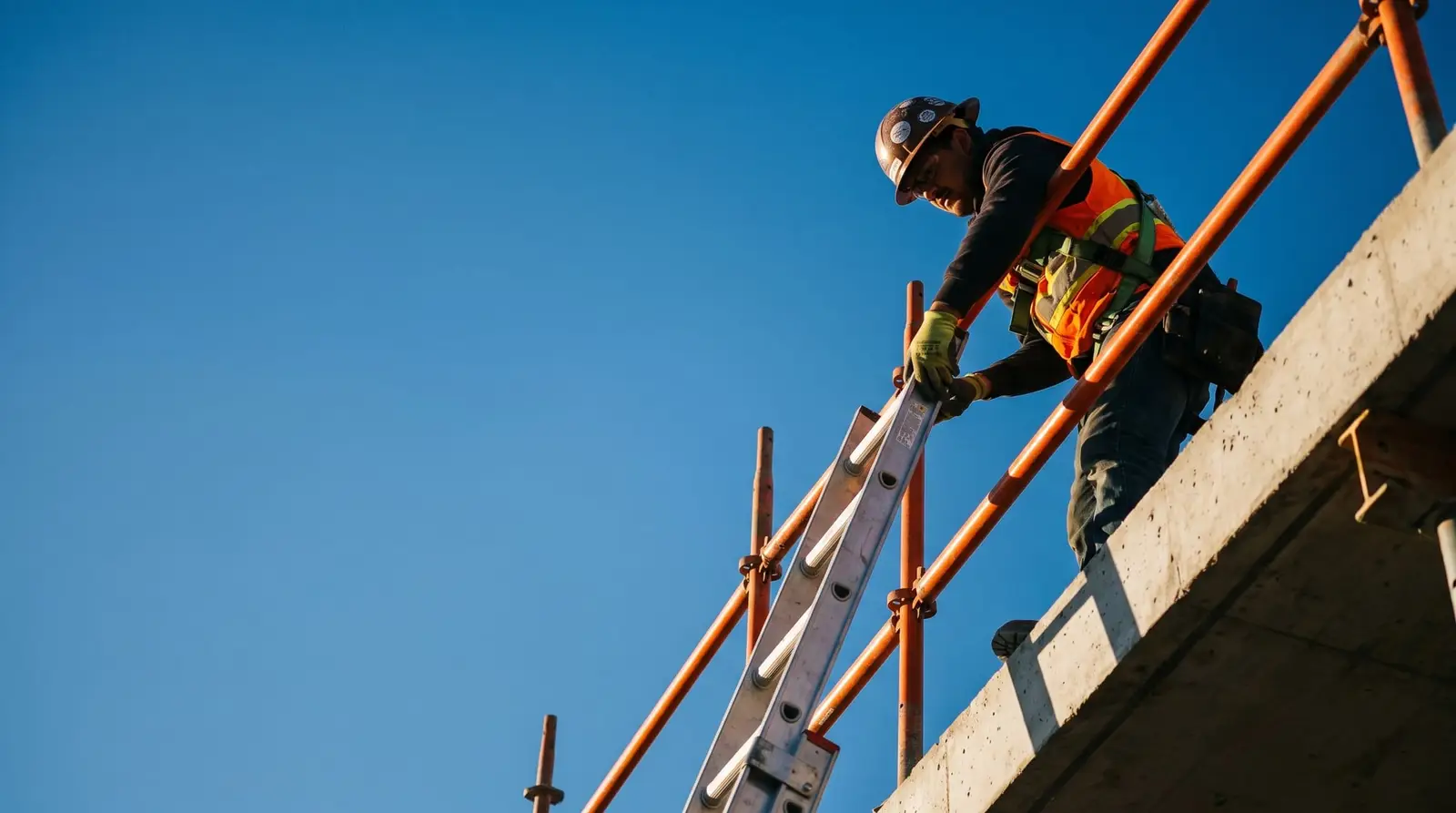
From the phone in their pocket. No app.
AREESA is fully web-based. A worker opens the browser on their own phone, taps Report Incident and fills in the form where they stand. Nothing to install, no Apple-or-Android lock-in, no waiting until they are back at a computer.
Not just documented. Verified.
A safety system only counts if you can prove it happened.
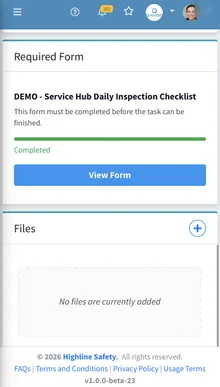
Completion tracking
See who has completed inductions, sign-offs and inspections across every site, live.
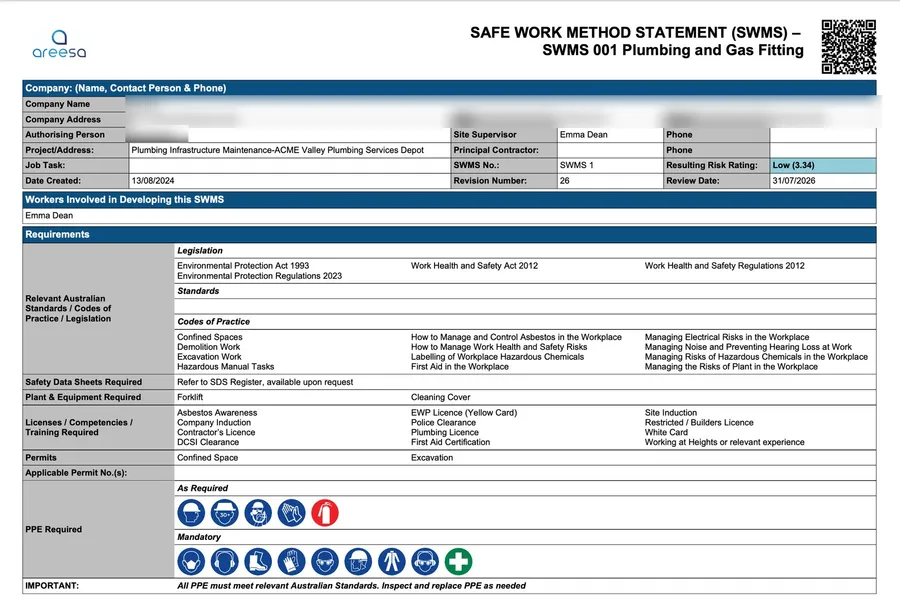
Approval workflows
SWMS and documents move through review and approval with a full history.
Audit-ready records
Every record time-stamped and signed. When the auditor asks, you search, not scramble.
Questions
How does a worker report an incident?
From their dashboard. A Report Incident button opens your incident form in one tap, on any device with a browser. They fill it in, add photos if they have them, and sign. The report is time-stamped the moment it is submitted.
Can we use our own incident form?
Yes. Build the incident form in the form builder with the fields your business uses, including photos, signatures and yes and no questions with cascading logic, then elect it as the incident form. From then on the Report Incident button opens that form.
Who is told when an incident is reported?
The person you elect. Every incident is emailed to them the moment it is submitted.
What is recorded against an incident?
The type, type of injury, details, the date it happened, the date entered, date returned to work, a follow-up date, total days lost and whether it is notifiable, plus the workers involved and any tasks raised on it with their assignee, priority and due date.
Does AREESA track notifiable incidents and days lost?
Yes. Your metrics show reported incidents, notifiable incidents and days lost for any date range, alongside hazards by risk level, forms and tasks, and the incident register carries the notifiable flag on every row.
Do workers need an app?
No. AREESA is fully web-based, so it works on any device with a browser: phone, tablet or computer, Apple or Android. Workers can even use a personal email address.
What does incident reporting software cost?
Pricing depends on the size of your organisation and the modules you need. Book a demo and you’ll get a straight number in the first conversation.
See incident reporting running in AREESA.
A 30-minute demo with your forms, your sites and your reporting flow, not a canned tour.