
SWMS software that ends the signature chase
Build a Safe Work Method Statement once, tailor it to each job, request sign-off from the whole crew in one hit, and keep every version signed, time-stamped and audit-ready. No printing, no driving paperwork between sites.
Australian owned. Used every day on active sites across Australia.
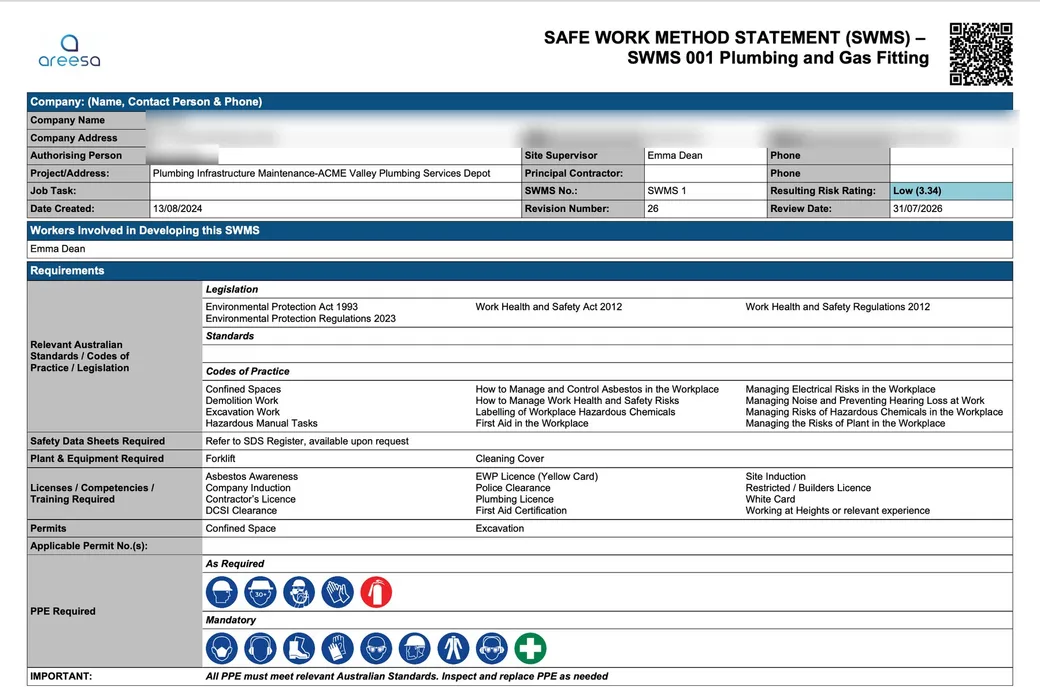
What is SWMS software?
SWMS software replaces the Word template, the printer and the folder in the ute. You build Safe Work Method Statements digitally, workers read and sign them from their phone, and every version is kept with a full history of who changed what and who signed which revision.
That last part is the point. When the work changes, the SWMS changes, and your records need to show exactly which version the crew signed before the work started. Paper makes that hard. A system makes it automatic.
Further reading
- Safe work method statement for high risk construction work: information sheet, Safe Work Australia
- SWMS for high risk construction work, SafeWork SA
The old way: print it, drive it, chase it.
Every SWMS revision used to mean reprinting, redistributing and chasing signatures around town. Organisations typically save 20 to 50 hours a month when digital forms replace the chase.
- Build once, tailor per job: start from a SWMS you have already built instead of a blank page, tailor it to the job, attach it to the project, assign the equipment, done.
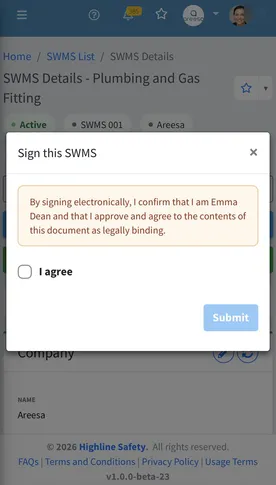
- Sign-off in one hit, or by QR: request sign-off from every worker at once and it sits on their dashboard until it is signed, or put a QR code on the job that opens the SWMS ready to sign.
- Versions that keep themselves honest: change the SWMS and it becomes a new revision, previous sign-offs are cleared so the crew signs the current one, and every earlier revision stays on record.
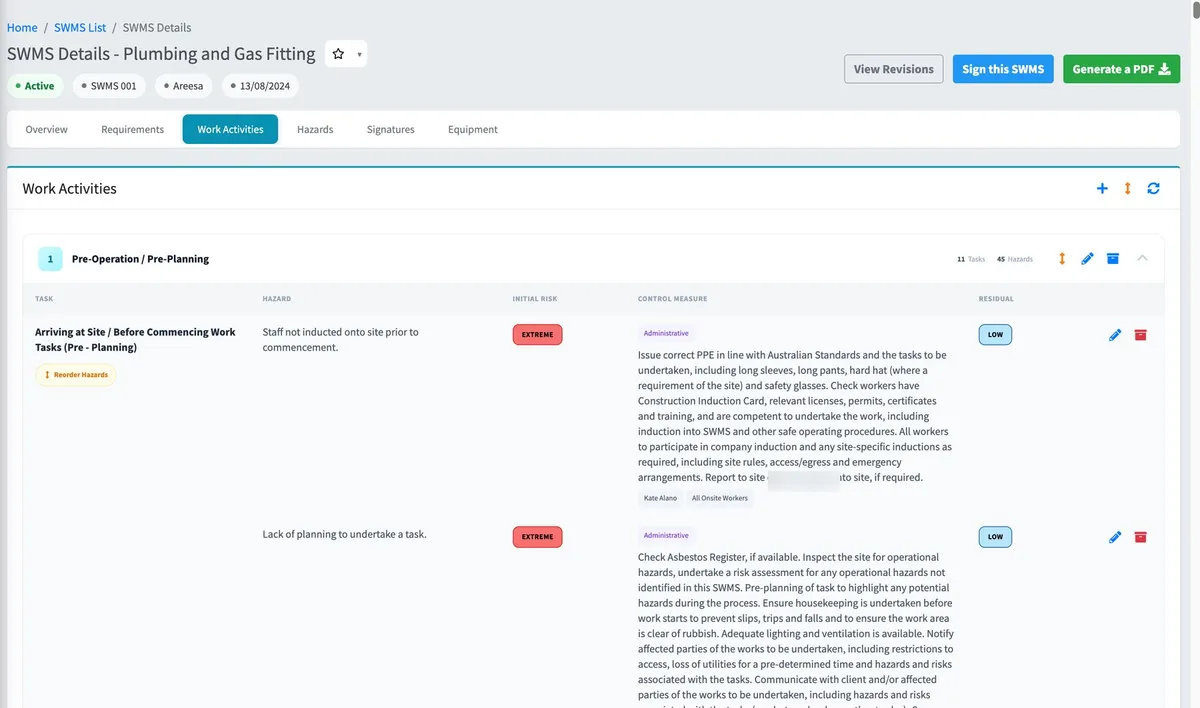
Every hazard, control and rating on the document.
A work activity in AREESA carries its tasks, the hazards they raise, the controls that answer them and the rating before and after, so the SWMS reads as the working, not a form filled in to get on site.
- Work activities broken into tasks, each with its potential hazards, control measures and the hierarchy of control.
- Initial and residual risk ratings side by side; the residual can never be rated higher than the initial.
- Responsible job titles named on every control, so who does what is on the SWMS the crew signs.
Everything a compliant SWMS needs, built in.
Work activities, hazards and controls
Each work activity carries its tasks and potential hazards, with control measures, the hierarchy of control, responsible job titles, and an initial and residual risk rating. The residual can never be rated higher than the initial.
PPE, legislation, standards and permits
Required and mandatory PPE, legislation, standards and codes of practice, permits, and the licences, competencies and training required, picked from lists or typed in.
High-risk work and site-specific risks
High-risk construction work and task or location specific risks listed on the SWMS, with the plant and equipment required alongside them.
Who developed it, who authorises it
Workers involved in developing the SWMS, the site supervisor and the authorising person all named on the document, with company details and the linked project.
Instant PDF for principal contractors
Generate a clean branded PDF on demand and send it to whoever is asking, without retyping a thing.
Attached to the job, pinned where it is needed
SWMS live against their project alongside the inductions, pre-starts, meetings and assets for the same work, and can be pinned for yourself or the whole organisation.
Looking for a SWMS app? You do not need one.
AREESA is fully web-based. Your crew opens their phone’s browser and signs; nothing to install from an app store, nothing to update, no Apple-or-Android lock-in. Every worker is on the latest version the moment it ships, including the bloke who got a new phone yesterday.
Not just documented. Verified.
A safety system only counts if you can prove it happened.
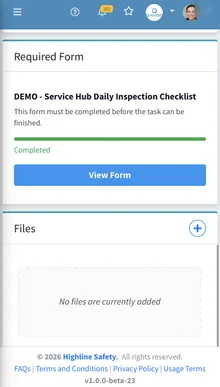
Completion tracking
See who has completed inductions, sign-offs and inspections across every site, live.
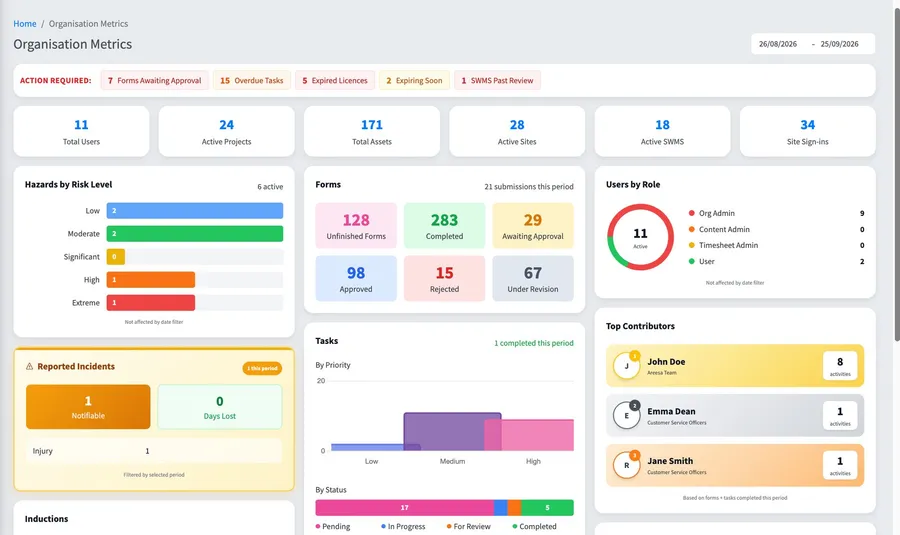
Approval workflows
SWMS and documents move through review and approval with a full history.
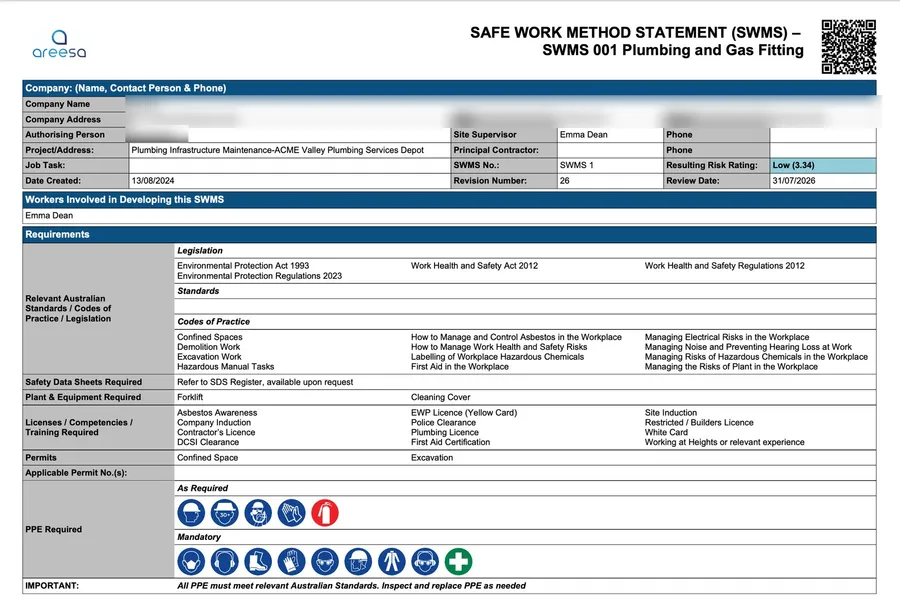
Audit-ready records
Every record time-stamped and signed. When the auditor asks, you search, not scramble.
Questions
How do I get a SWMS to a principal contractor?
Generate a clean branded PDF on demand and send it to whoever’s asking. It comes out of the same system that holds the signatures and revision history, so what you send matches what the crew signed.
How do workers sign a SWMS in AREESA?
You request sign-off from every worker in one hit. Each worker gets a notification in AREESA, and the request sits on their dashboard until it’s signed: they open the SWMS on their phone, read it, and sign. Or go more direct and give the crew a QR code that opens the SWMS straight away, ready to sign. Either way the signature is recorded against that revision with a timestamp, so you can always show who signed which version and when.
What happens when the job changes mid-way?
You revise the SWMS. Any change creates a new revision number and clears the previous sign-offs, so the crew signs the version they are actually working to. Every earlier revision stays on record with who signed it, which is exactly what an auditor wants to see.
Can I keep using my existing SWMS documents?
Yes. Your existing SWMS can be brought into AREESA during implementation, so you start from the documents you already trust, not from scratch.
Do workers need an app?
No. AREESA is fully web-based, so it works on any device with a browser: phone, tablet or computer, Apple or Android. Workers can even use a personal email address.
What does SWMS software cost?
Pricing depends on the size of your organisation and the modules you need. Book a demo and you’ll get a straight number in the first conversation.
See your SWMS running in AREESA.
A 30-minute demo with your real SWMS, your projects and your crew’s workflow, not a canned tour.